
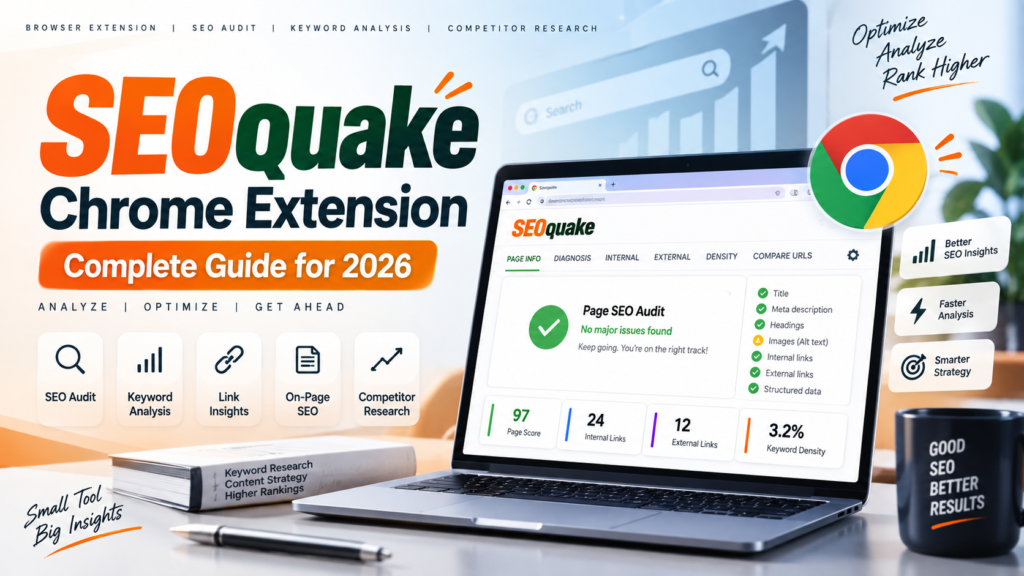
SEO Quake Chrome Extension: Complete SEO Guide for 2026
If you work in SEO, content marketing, website development, or digital marketing, you often need to answer simple questions quickly:
- Does this page have a proper title tag?
- Is the heading structure organized correctly?
- How many internal links does the page have?
- Is Schema markup present?
- Are images using ALT attributes?
- What keywords and phrases appear frequently?
- Are there obvious technical or on-page SEO issues?
Opening a full SEO platform for every individual page can be unnecessary when you only need a quick diagnosis. That’s where SEOquake can be useful.
SEOquake is a free browser extension from Semrush that provides page-level SEO information directly in your browser. Its current version includes Quick View and Full Report workflows, SEObar, keyword-density analysis, link analysis, Schema information, and a page audit with 28 checks.
This guide explains what SEOquake is, how to install the SEOquake Chrome extension, how to use it for SEO analysis, what its reports actually tell you, and where it fits into a modern SEO workflow.
What Is SEO Quake Extension?
SEOquake is a browser-based SEO extension developed by Semrush that lets you analyze webpages without leaving the browser.
Instead of copying a URL into a separate SEO tool, you can open a webpage, activate the extension, and inspect information about the page’s:
- Title tag
- Meta description
- Headings
- Content
- Internal links
- External links
- Keyword usage
- Structured data
- Technical signals
- Social metadata
- Available Semrush metrics
Semrush’s current SEOquake documentation describes the extension as a free browser plugin for organic search data, SEO auditing, keyword-density analysis and internal/external link analysis.
SEOquake in one sentence
SEOquake is a quick page-level SEO diagnostic tool that helps you understand how a webpage is structured and identify potential SEO issues directly from your browser.
That distinction matters: SEOquake is designed primarily for quick page-level analysis, not to replace a comprehensive website crawler or complete SEO platform.
Internal link: [What Is Technical SEO? → ADD YOUR INTERNAL URL]
What Is the SEOquake Chrome Extension?
The SEOquake Chrome extension brings SEO analysis directly into Google Chrome.
The workflow is straightforward:
Open webpage → Click SEOquake → Review Quick View → Investigate with Full Report
The current 2026 rebuild introduced a redesigned Quick View and Full Report workflow and brought back SEObar. Semrush says the rebuilt extension is available through the Chrome Web Store and can also install on Chromium-based browsers such as Edge, Brave and Arc, although Chrome is the officially supported browser for this release.

Suggested screenshot placement: Add an original screenshot of the SEOquake extension installed in Chrome here.
Recommended image caption:
SEOquake’s Quick View interface provides page-level SEO information without leaving the browser.
Recommended ALT text:SEOquake Chrome extension Quick View SEO analysis
How to Install the SEOquake Chrome Extension
Installing the SEOquake extension for Chrome is straightforward.
Step 1: Open the Chrome Web Store
Search for SEOquake.
Step 2: Verify the publisher
Before installing any browser extension, verify that you’re using the official extension and publisher.
Step 3: Add SEOquake to Chrome
Select the option to add the extension to Chrome.
Step 4: Pin the extension
Pin SEOquake to your browser toolbar so that you can access it while browsing.
Step 5: Open a webpage
Visit any webpage you want to analyze.
Step 6: Launch SEOquake
Click the SEOquake icon and open Quick View or the more detailed Full Report.
For the safest installation workflow, use the official Semrush documentation and the official Chrome Web Store listing rather than downloading browser-extension files from third-party websites.
SEOquake — Official Semrush documentation
What Can You Check With SEOquake?
The current SEOquake rebuild significantly expanded its page-level audit capabilities.
According to Semrush, the extension now performs 28 page-level checks, covering on-page, technical, mobile and social signals.
Some of the important checks include:
| SEOquake Feature | What It Helps You Examine |
|---|---|
| Page Info | Basic page and metadata information |
| SEO Audit | Potential page-level issues |
| Content | Words, headings and content structure |
| Keyword Density | Frequently occurring terms |
| Links | Internal and external links |
| Schema | Structured data |
| Semrush | Available Semrush metrics |
| SEObar | Persistent selected metrics |
The audit checks include elements such as title tags, meta descriptions, headings, image ALT attributes, URLs, internal links, HTTPS, canonical tags, robots/indexing directives, Schema.org markup, viewport settings, Open Graph tags and Twitter Cards.
How to Use SEOquake for On-Page SEO
The real value of an SEOquake SEO audit comes from knowing what to look for rather than simply collecting numbers.
1. Check the Title Tag
Start with the title tag.
Ask:
- Does it describe the page accurately?
- Does it communicate the main topic?
- Is it unique?
- Does it match the search intent?
For example, if you’re publishing an article about the SEOquake Chrome extension, the title should clearly communicate that subject rather than using a vague title such as “Our Latest SEO Tool.”
SEOquake can help you quickly inspect the title and its character count.
Internal link: [On-Page SEO Checklist → ADD YOUR INTERNAL URL]
2. Review the Meta Description
The meta description isn’t simply a place to insert keywords.
Use it to communicate:
- What the page covers
- Why someone should click
- What information they will find
SEOquake can help identify the meta description declared by the page and display its character count.
3. Analyze the Heading Structure
Look at:
H1 → H2 → H3
A logical heading structure helps readers understand how the article is organized.
For example:
H1: SEOquake Chrome Extension
H2: What Is SEOquake?
H2: How to Install SEOquake
H2: SEOquake Features
H3: Keyword Density
H3: Link Analysis
H2: SEOquake Limitations
The goal isn’t to create headings merely because an SEO tool recommends them. The structure should make sense to the reader.
How to Use SEOquake Keyword Density
One of SEOquake’s recognizable features is its Keyword Density report.
It can show frequently occurring words and phrases and indicate whether terms appear in areas such as the title, description or H1. The current extension can analyze phrases from one to four words.
However, there’s an important SEO principle here:
Don’t write content around a target keyword-density percentage.
Keyword density can help you identify repeated language or understand the dominant vocabulary of a page, but it isn’t a ranking formula and there is no ideal keyword-density percentage to target. Semrush makes the same distinction in its current SEOquake documentation.
Instead, use keyword-density data diagnostically.
For example:
If your target topic is technical SEO, but your page repeatedly emphasizes an unrelated term, that may indicate a content or positioning problem.
The question isn’t:
“Did I use my keyword 20 times?”
The better question is:
“Does this page comprehensively and naturally address the user’s topic?”
Google’s SEO guidance similarly emphasizes using the words people search for while creating helpful, reliable, people-first content rather than mechanically optimizing around individual terms.
SEOquake Link Analysis: Internal and External Links
SEOquake can also help you inspect the links present on a webpage.
The current Links report separates internal and external links and can show information such as:
- Anchor text
- Follow/nofollow status
- HTTP status
It analyzes links found on the page itself; it isn’t a backlink-analysis report for the entire domain.
This makes the tool useful when reviewing:
Internal linking
Check whether important pages are connected logically.
For example:
SEO Guide
→ Technical SEO
→ On-Page SEO
→ Keyword Research
→ Internal Linking
→ SEO Audit
Internal link: [Internal Linking Guide → ADD YOUR URL]
External links
Check whether the page references credible external resources where appropriate.
For an SEO article, authoritative outbound resources might include:
Google’s guide to generative AI features in Search
These aren’t included merely to create more links. They provide readers with primary-source documentation.
Using SEOquake for Competitor Analysis
SEOquake can also be useful when analyzing competitor pages.
But there is an important distinction:
SEOquake can show you what is on a competitor’s page. It cannot tell you exactly why Google ranks that page where it does.
A practical competitor workflow could look like this:
Step 1: Read the competing page
Understand:
- Search intent
- Content depth
- Unique information
- User experience
Step 2: Open SEOquake
Check:
- Title
- Meta description
- Headings
- Content
- Internal links
- External links
- Schema
- Technical signals
Step 3: Identify content gaps
Ask:
What useful information does this page provide that mine doesn’t?
Then ask the opposite:
What can I explain, demonstrate or test that this page doesn’t?
This is where Information Gain becomes important.
Internal link: [Information Gain SEO: How to Create More Valuable Content → ADD YOUR URL]
Google’s current guidance for AI search emphasizes unique, valuable, non-commodity content and specifically points to first-hand experience and original viewpoints as ways to provide information beyond what already exists online.
Can SEOquake Help With AI Search and AI Overviews?
Indirectly, yes—but SEOquake is not an AI Overview optimization tool.
This distinction is important.
Google’s current guidance says that many established SEO fundamentals remain relevant to its generative AI search experiences. At the same time, Google emphasizes unique, valuable content, first-hand experience and useful information rather than content created primarily to manipulate search visibility.
That means you can use SEOquake to inspect foundational page elements such as:
- Headings
- Metadata
- Links
- Structured data
- Content structure
- Indexing signals
- Mobile/viewport information
But these checks don’t guarantee that a page will appear in an AI Overview or be cited by an AI system.
A better AI-search workflow is:
Technical foundation
↓
Clear information architecture
↓
Helpful content
↓
First-hand experience
↓
Original information
↓
Authoritative sources
↓
Strong internal linking
↓
Search + AI visibility
Google specifically recommends creating valuable, non-commodity content for generative AI features rather than creating large quantities of pages targeting every possible query variation.
E-E-A-T: How to Make Your SEOquake Article More Trustworthy
A strong article about an SEO tool shouldn’t simply repeat the manufacturer’s feature list.
It should demonstrate Experience, Expertise, Authoritativeness and Trustworthiness.
Google explains that E-E-A-T is a conceptual framework rather than a single ranking factor, with trust being the most important aspect of the framework.
For this article, implement E-E-A-T in four ways.
Experience
Add your own screenshots.
For example:
Screenshot: SEOquake Quick View showing title, headings, content and audit information.
Even better, test the extension on several page types and document what you found.
Expertise
Explain what the metrics actually mean.
Don’t simply say:
“Keyword density is 2.5%.”
Explain why that number should not automatically be treated as an optimization target.
Authoritativeness
Cite primary sources such as:
- Semrush
- Google Search Central
- official documentation
Trustworthiness
Include:
- Author name
- Author bio
- Published date
- Last updated date
- Sources
- Tool limitations
- Disclosure if the article contains affiliate links
Google recommends clear authorship and evidence of expertise where appropriate, along with original and reliable content.
SEOquake Limitations You Should Know
No SEO tool should be treated as a complete explanation of Google’s ranking systems.
SEOquake is particularly useful for quick page-level investigation, but it isn’t a substitute for a full website crawl, analytics platform, Search Console data or deeper SEO research.
The current rebuild also removed several older metrics because their underlying public data sources were no longer reliable. Semrush says the new version removed items including Google Cache dates and several search-engine index-count metrics. The rebuilt release also does not include the former SERP overlay or on-page nofollow/noindex highlighting.
That is actually useful information for readers who remember an older version of SEOquake.
SEOquake vs a full SEO platform
| SEOquake | Full SEO Platform |
|---|---|
| Page-level analysis | Site-wide analysis |
| Browser-based | Web application |
| Quick SEO checks | Large-scale crawling |
| Keyword-density analysis | Keyword research |
| Link inspection | Backlink analysis |
| Page audit | Technical site audit |
| Quick competitor inspection | Competitor research |
| Fast diagnostics | Ongoing SEO monitoring |
For example, Semrush’s Site Audit is designed for crawling websites and identifying a much broader set of technical and on-page issues.
Is SEOquake Free?
Yes. SEOquake is available as a free browser extension.
The amount of Semrush data available can vary depending on whether you connect a Semrush account and which subscription you have.
That makes the SEOquake Chrome extension useful for people who want quick page-level SEO information without immediately adopting a comprehensive SEO platform.
Frequently Asked Questions About SEOquake
What is SEOquake?
SEOquake is a free browser extension from Semrush that provides page-level SEO information, including audits, keyword-density analysis, link analysis, structured data and other page signals.
Is SEOquake available for Chrome?
Yes. The current rebuilt version is available through the Chrome Web Store. Semrush says Chrome is the officially supported browser for the current release.
Is SEOquake free?
Yes. The core SEOquake extension is free, although access to some Semrush data can depend on account connection and subscription level.
What does SEOquake check?
The current version includes 28 page-level checks covering areas such as metadata, headings, links, images, HTTPS, canonical tags, indexing directives, Schema.org markup, viewport settings and social metadata.
Can SEOquake check keyword density?
Yes. SEOquake provides keyword-density analysis for frequently occurring terms and phrases. However, keyword density should be treated as a diagnostic signal rather than a ranking target.
Is SEOquake enough for a complete SEO audit?
Not by itself. SEOquake is primarily a page-level diagnostic tool. A complete website audit generally requires crawling the site and examining technical, content, indexability, internal linking and other site-wide factors.
Final Verdict: Where SEOquake Fits Into an SEO Workflow
SEOquake isn’t designed to replace every SEO tool.
Its value is different.
When you’re browsing a page and need to answer a question quickly, the SEOquake extension puts useful page-level information directly in front of you.
A practical workflow could be:
SEOquake → identify page-level issue
↓
Google Search Console → investigate search performance
↓
Analytics → understand user behavior
↓
Full SEO crawler → identify site-wide patterns
↓
Content analysis → identify information gaps
↓
Optimization → implement and measure changes
That makes SEOquake particularly useful as a first diagnostic layer.
And in an SEO environment increasingly influenced by AI-generated search experiences, the fundamentals still matter. Google says its generative AI search guidance builds on established SEO practices while placing additional emphasis on unique, valuable, people-first content.
So don’t use SEOquake simply to chase metrics.
Use it to understand the page, identify issues, validate your implementation, and make better SEO decisions.
For other SEO related articles, visit this link
